

Cart
0
Product
Products
(empty)
No products
To be determined
Shipping
0,00 €
Tax
0,00 €
Total
Prices are tax included
Product successfully added to your shopping cart
Quantity
Total
There are 0 items in your cart.
There is 1 item in your cart.
Total products
(tax incl.)
Total shipping (tax incl.)
To be determined
Tax
0,00 €
Total
(tax incl.)
-
SOLUTIONS
-
-
BUY
-
-
THIN INSULATION
-
R'BULL pro 13 | Thin Reflective Insulation...
14 Review(s)337,58 € 450,10 € -25%Delivered to your home* price: ◉ Europe...
À prix réduit!Delivered to your door free of charge -
R'BULL pro 13 | Thin Reflective Insulation...
1 Review(s)333,09 € 444,12 € -25%Rate delivered to your home* : ◉ Europe...
À prix réduit!Delivered to your door free of charge -
R'BULL pro 5 | Thin Reflective Insulation...
3 Review(s)421,05 € 561,40 € -25%Rate delivered to your home* : ◉ Standard...
À prix réduit!Delivered to your door free of charge -
R'BULL pro 5s | 5mm floating parquet...
3 Review(s)296,24 € 370,30 € -20%Rate delivered to your home* : ◉ Standard...
À prix réduit!Delivered to your door free of charge -
Aluminium adhesive tape 75 mm x 50 m....
2 Review(s)26,00 €Rate delivered to your home* : ◉ Europe stock...
In stock -
R'Acoustic 20 | Thin Acoustic Thermal...
5 Review(s)234,43 € 275,80 € -15%Rate delivered to your home* : ◉ Standard...
À prix réduit!Delivered to your door free of charge -
R'Acoustic 10 | Thin Acoustic Thermal...
3 Review(s)200,52 € 235,90 € -15%Rate delivered to your home* : ◉ Standard...
À prix réduit!Delivered to your door free of charge -
R'Acoustic Alu | Insolant Mince Réflecteur...
2 Review(s)251,77 € 296,20 € -15%Rate delivered to your home* : ◉ Europe...
À prix réduit!Delivered to your door free of charge -
R'BULL pro 5 | Thin Reflective Insulation...
1 Review(s)202,50 € 270,00 € -25%Rate delivered to your home* : ◉ Standard...
À prix réduit!Delivered to your door free of charge -
R'Flam Pro 6 | Thin Reflective Insulation...
2 Review(s)497,03 € 662,70 € -25%Home delivery price* : 1 Roll : 19.88 €/m²...
À prix réduit!Delivered to your door free of charge -
R'Flam Tape - Non-combustible aluminum...
23,46 €Flame-retardant aluminium adhesive roll for thin...
In stock
-
-
-
-
Heating panels
-
Fire-retardant heating film for radiant...
4 Review(s)70,20 €Rate delivered to your home* : ◉ Europe...
En Stock -
Fire-retardant heating film for radiant...
51,48 €Rate delivered to your home* : ◉ Europe...
En Stock -
eFilm Power - Width 60 cm
1 Review(s)59,84 €Heating film for specific applications 25-year...
In stock -
-
-
Cassette radiant great heights :...
498,30 €The radiant heating CRIR 1800 is intended for the heating...
En Stock
-
-
Thermostats
-
Connected programmable thermostat for...
9 Review(s)113,04 €Rate delivered to your home* : ◉ Stock France...
STOCK FRANCE: In stock for delivery within 24/48 hours with tracking. -
Connected programmable thermostat for...
2 Review(s)120,24 €Rate delivered to your home* : ◉ Stock France...
STOCK FRANCE: In stock for delivery within 24/48 hours with tracking. -
Radio-connected, programmable 4G wifi...
149,76 €Connected radio thermostat . Programmable device...
STOCK FRANCE: In stock for delivery within 24/48 hours with tracking. -
Floor probe for radiant floor heating...
20,00 €Rate delivered to your home* : ◉ Express...
In stock for delivery within 24/48 hours (France stock)
-
-
-
-
Heated mirrors / Connected furniture
-
Mirolia Pro series. Self-adhesive heating...
3 Review(s)110,88 €No more fogging up your mirror! Mirolia eliminates...
STOCK FRANCE: In stock for delivery within 24/48 hours with tracking. -
Custom-made heated mirror
2 Review(s)59,40 € 66,00 € -10%We create the heated mirror of your dreams 2 options...
À prix réduit!In stock -
Mirolia Carbon Pro series. Self-adhesive...
100,84 € 112,04 € -10%Turn your mirror into a heated mirror. Freedom...
À prix réduit!In stock -
MIROLIA PANEL DECO
1 Review(s)1 020,00 € 1 360,00 € -25%Mirolia Panel Deco is a decorative heated mirror with...
À prix réduit!En Stock -
-
Hot Table, musical back-lit
6 312,24 €Table immersive to animate your evenings with your...
In stock -
-
-
Switch
-
Magic Switch, the switch is invisible...
1 Review(s)115,68 €Advantages : Removes the risk of...
Available
-
-
-
-
Payment in 4 instalments, interest free

-
Connectors
-
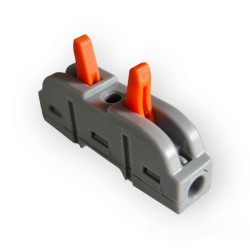
Lever terminals 2 conductors in line -...
1 Review(s)21,90 €Price delivered to your door* : Set of 50...
In stock for delivery within 3 days (France stock) -
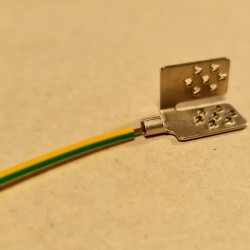
Flexible cable with grounding connector...
10,77 € 11,34 € -5%Earth connection of our aluminum insulators for the...
À prix réduit!In stock for delivery within 3 days (France stock)
-
-
Fasteners
-
Clips + screws for fastening ceilingo...
57,90 €*Metropolitan France and Belgium only.
In stock for delivery within 3 days (France stock) -
Set of 100 5 x 50 mm flat-head screws +...
50,00 €Ideal for creating an air gap and limiting contact points...
In stock for delivery within 3 days (France stock)
-
-
Services
-
Complimentary telephone technical support,...
60,00 €The purchase of our products we undertake, which is why...
Service included
-
-
-
-
Understand
-
-
CONTACT
-






How to commission the radio, wifi and 4G thermostat
Published:
02/10/2021 16:13:04
Categories:
Thermostats
Three links, three different problems
The radio link connects the thermostat to its receiver, the unit that actually switches the heating circuit. The wifi link connects the receiver to your router. The 4G link takes over when there is no router, or when it goes down. Confusing the three is the commonest reason a commissioning does not complete.
What is already done at the factory
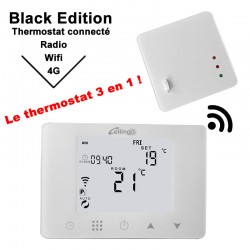
The thermostat and the radio and wifi receiver leave the factory already paired. There is nothing to do on that side, and nothing to undo either: redoing that pairing without cause costs time and settles nothing.
What is left to do on site
Connect the receiver to your router, check that the thermostat really switches the load, and only then deal with comfort. A commissioning order that starts with fine tuning, before the switching has been verified, leaves doubts about what is actually not working.
Pairing with the phone is dealt with separately on the page about linking to a smartphone, and calibration on the one about setting the temperature.
Choosing between wifi and 4G
Wifi is fine as long as the router is stable and the receiver is within range. 4G becomes preferable in three cases: a second home with no internet subscription, business premises whose network is partitioned, and a receiver placed in a plant room where the signal does not reach.
The check that gets forgotten
The receiver switches a real electrical load. Its position in the board, the cable sections and the protective device belong to the installation, not to the product. A commissioning that succeeds on the communications side says nothing about the compliance of that wiring, which has to be verified separately.
